New header, Target Loot, creator pages and PTB spoilers
A new header with search on every page, Target Loot for Escalation's daily targets, pages for content creators, and upcoming PTB content behind spoiler covers. The 3D Viewer is rebuilt around search, and skills, signature weapons, weapon mods and map props now have 3D models.
New
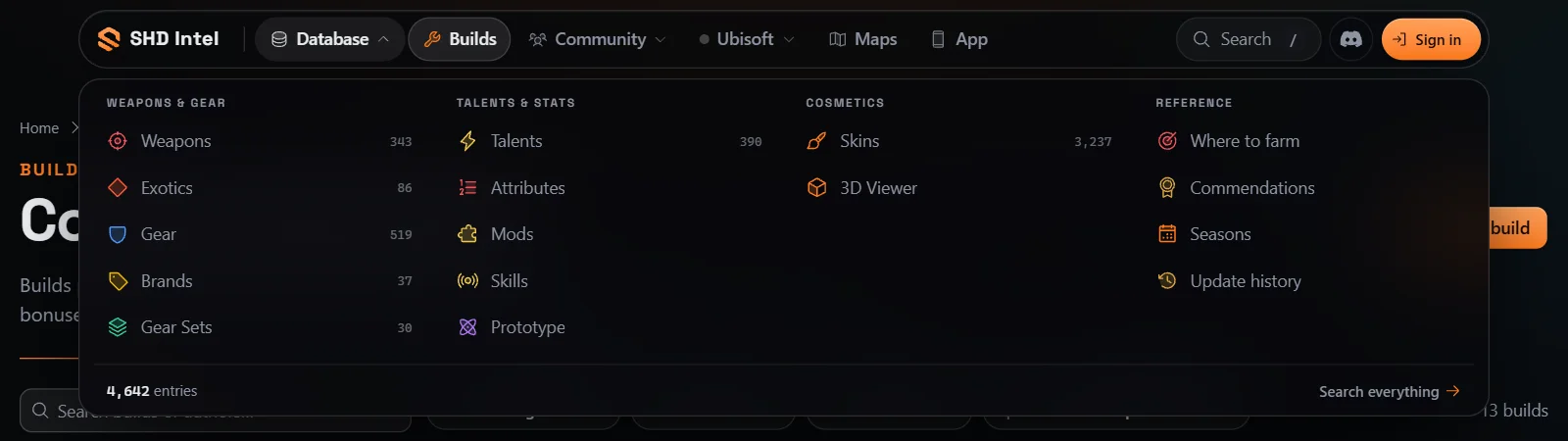
A new header. The menu is now a floating dock: Database, Builds, Community, Ubisoft, Maps and App, with the page you're on lit up. Database opens every section of the database with how many entries each has. Community has Vendors, Target Loot and the Changelog, and Ubisoft has Events, Store, News and Status & reset.
Search from any page. Press / or the search button to search over the page you're on. Results show as you type, with shortcuts to jump straight to a section and Search everything for the full list.
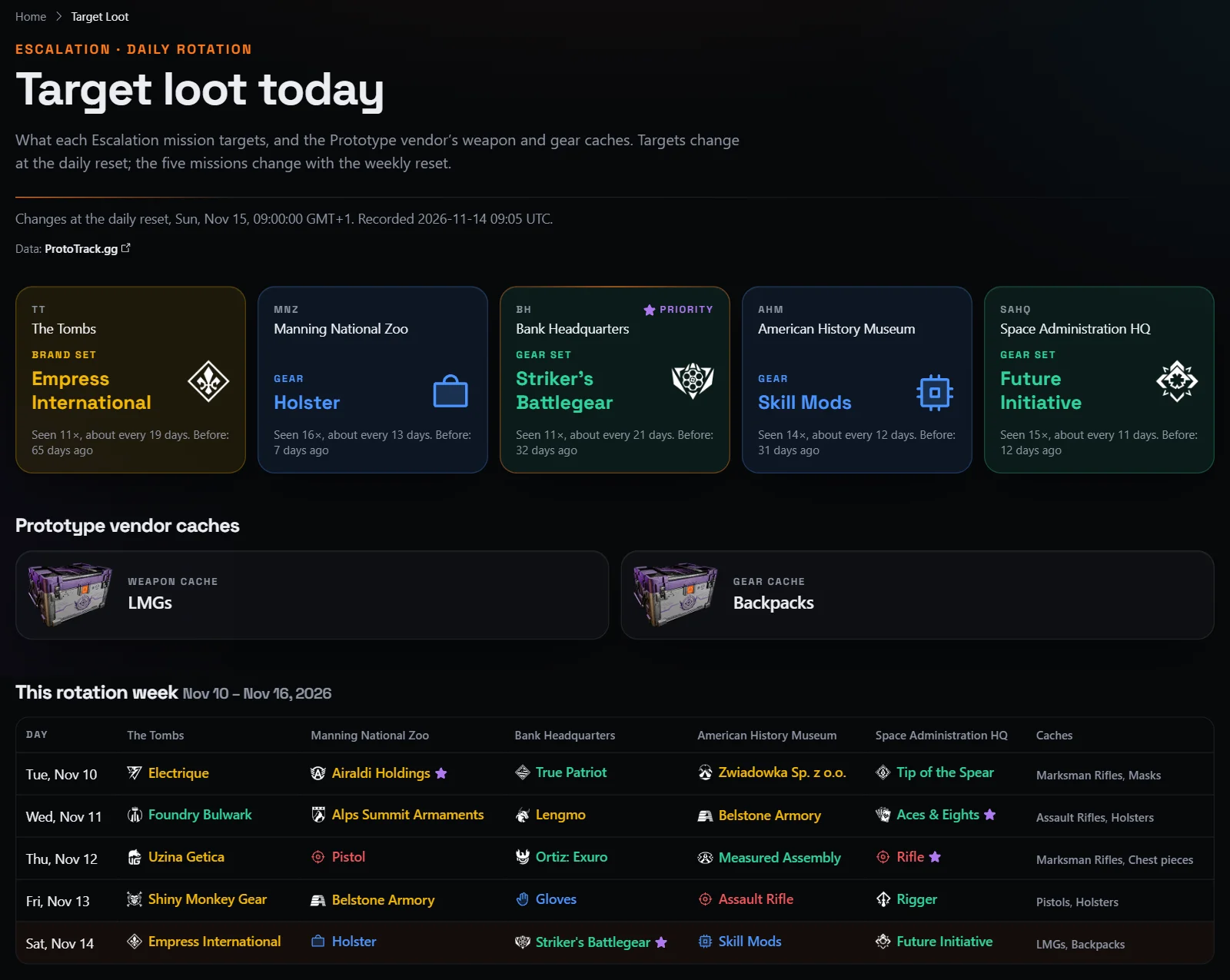
Target Loot. Target Loot shows what each of the five Escalation missions drops today and what's in the Prototype vendor's weapon and gear caches. Below that is this rotation week day by day, and every week back to April. Each target says how often it comes up and when it was last seen. Data from ProtoTrack.gg.
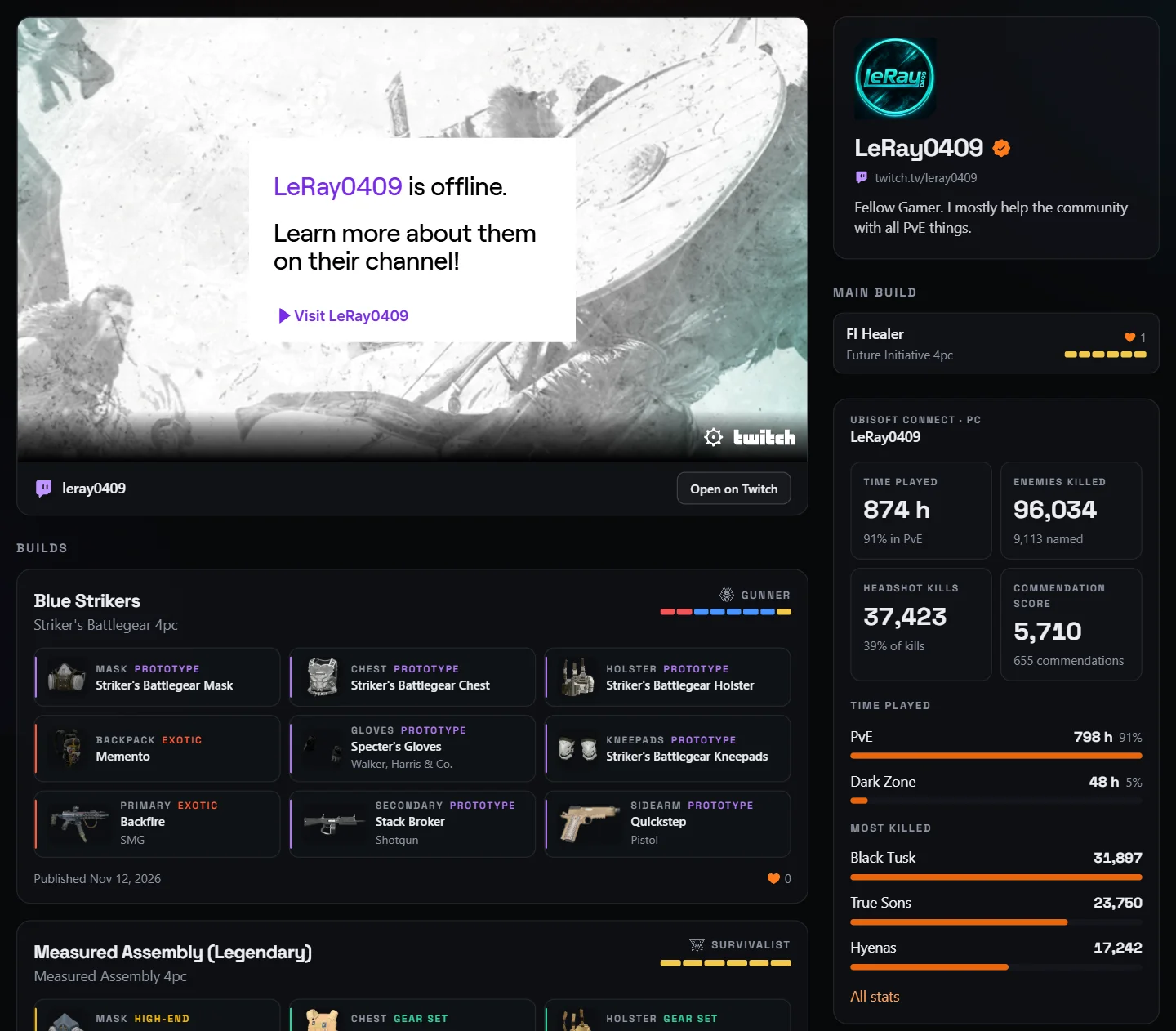
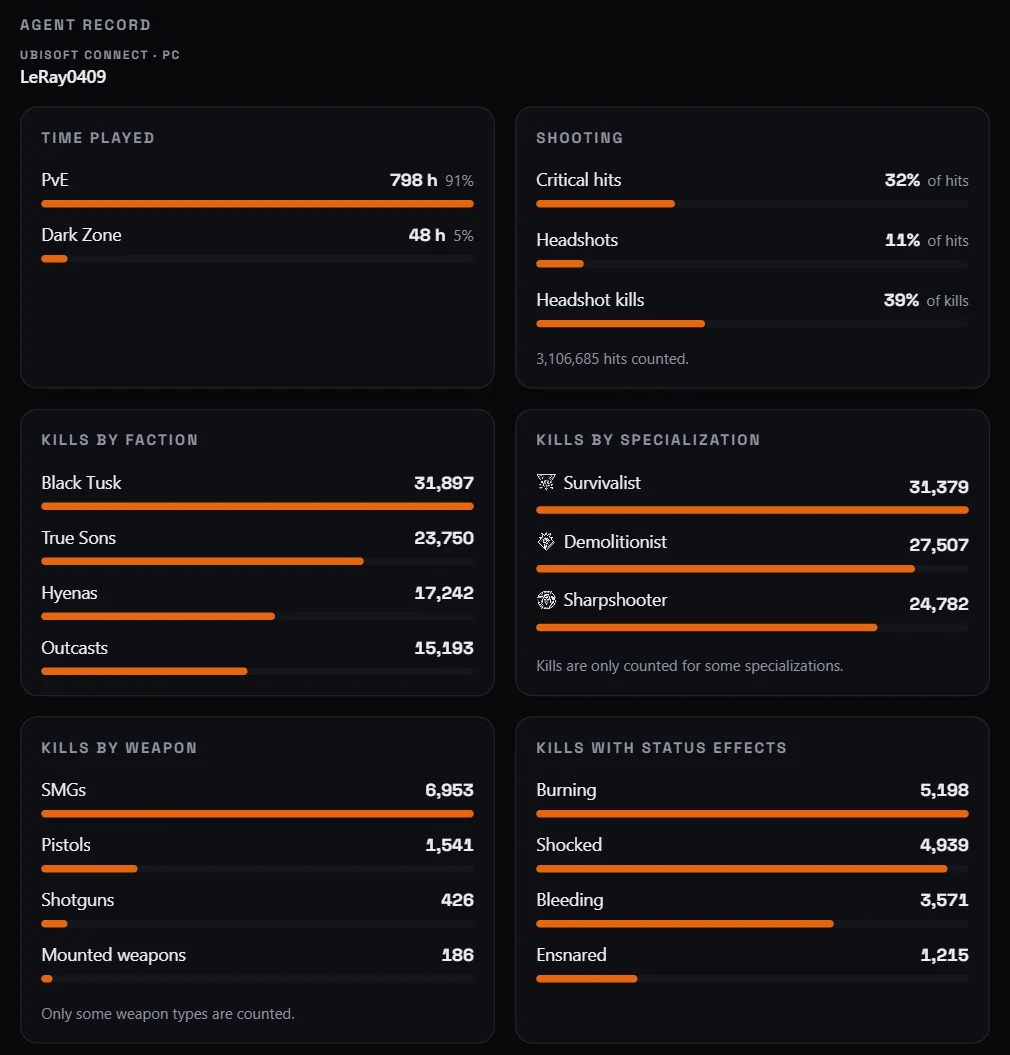
Creator pages. Content creators get a page of their own on shd.gg, like LeRay0409's: their Twitch stream, the builds they've published and their agent record, with time played, kills by faction, specialization and weapon, shooting, missions completed and more. Stream or make videos about The Division 2? Link your Twitch account and ask us on Discord.
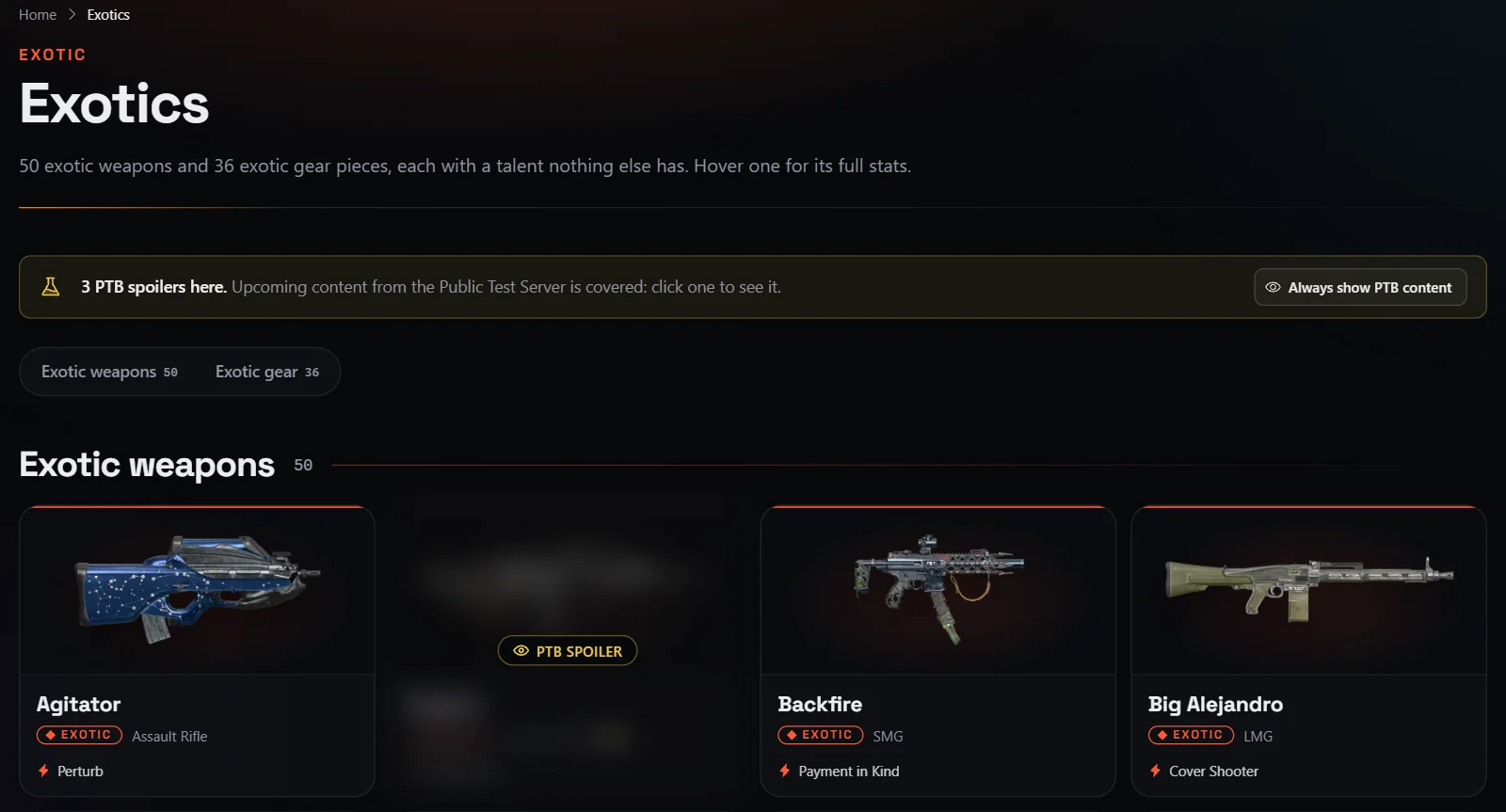
PTB content, behind spoilers. Upcoming content from the Public Test Server shows up on the site before it goes live, starting with Year 8 Season 4: the Field General gear set, the exotics August, Eye of Providence and Forward Observer, eight new named items with their talents, and the season pass. Until you say you want spoilers, each piece is blurred under a cover like a Discord spoiler. Click one to see it, or pick Always show PTB content (you can switch it off again at the bottom of any page). Search and the Build Planner leave PTB items out until then. PTB items carry a PTB badge, and their numbers can still change before release.
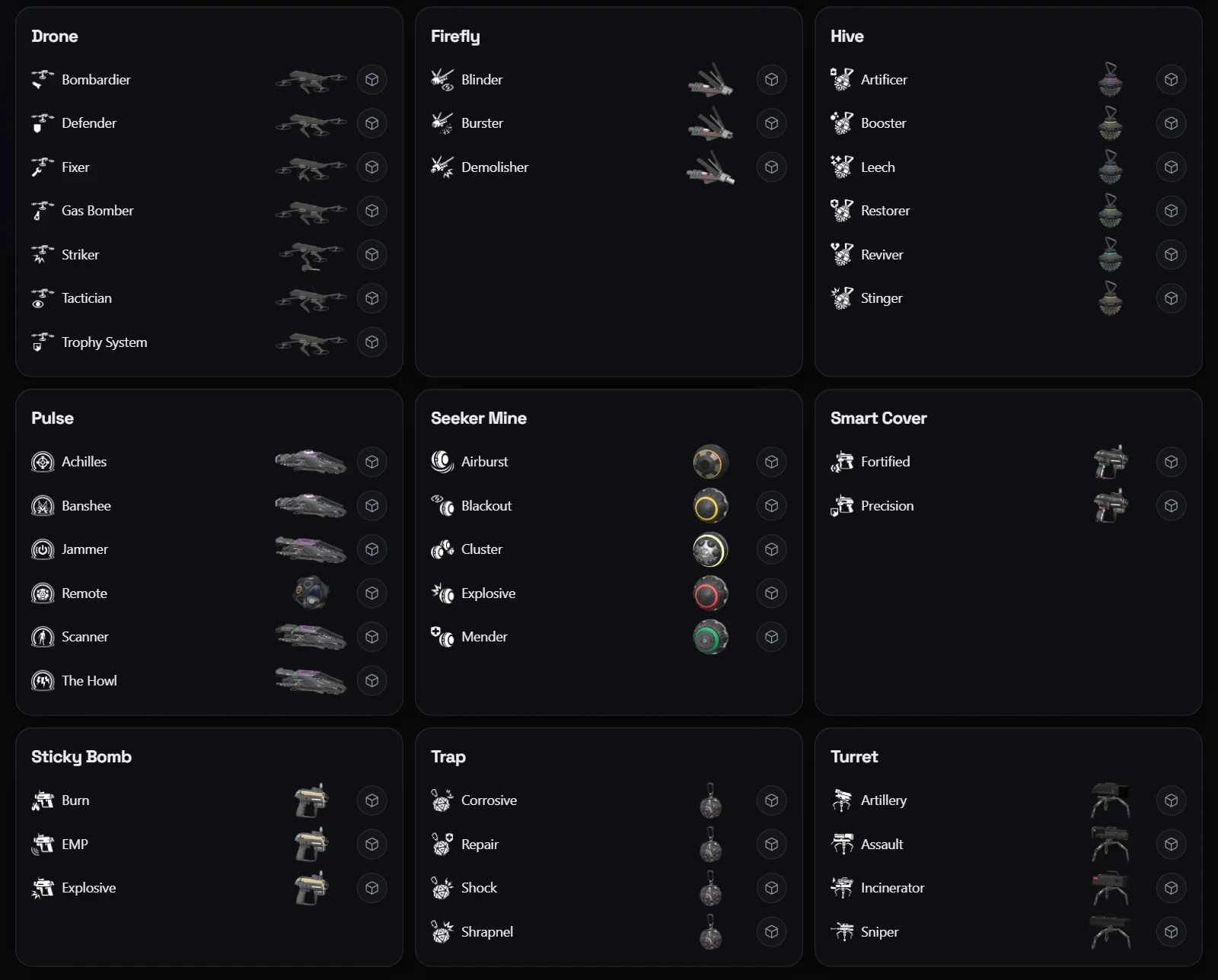
Echoes of Central Park skills. The six skill variants from the Upper West Side DLC are in Skills and the Build Planner: Blackout Seeker Mine, Corrosive Trap, Gas Bomber Drone, Leech Hive, The Howl Pulse and Trophy System Drone.
More in 3D. Skills, specialization signature weapons and map props (loot crates, Dark Zone stashes and more) have 3D models. Open them from Skills, from a point of interest's card on the map, or in the 3D Viewer. In the Build Planner, the weapon mod pickers show each mod's picture.
Improved
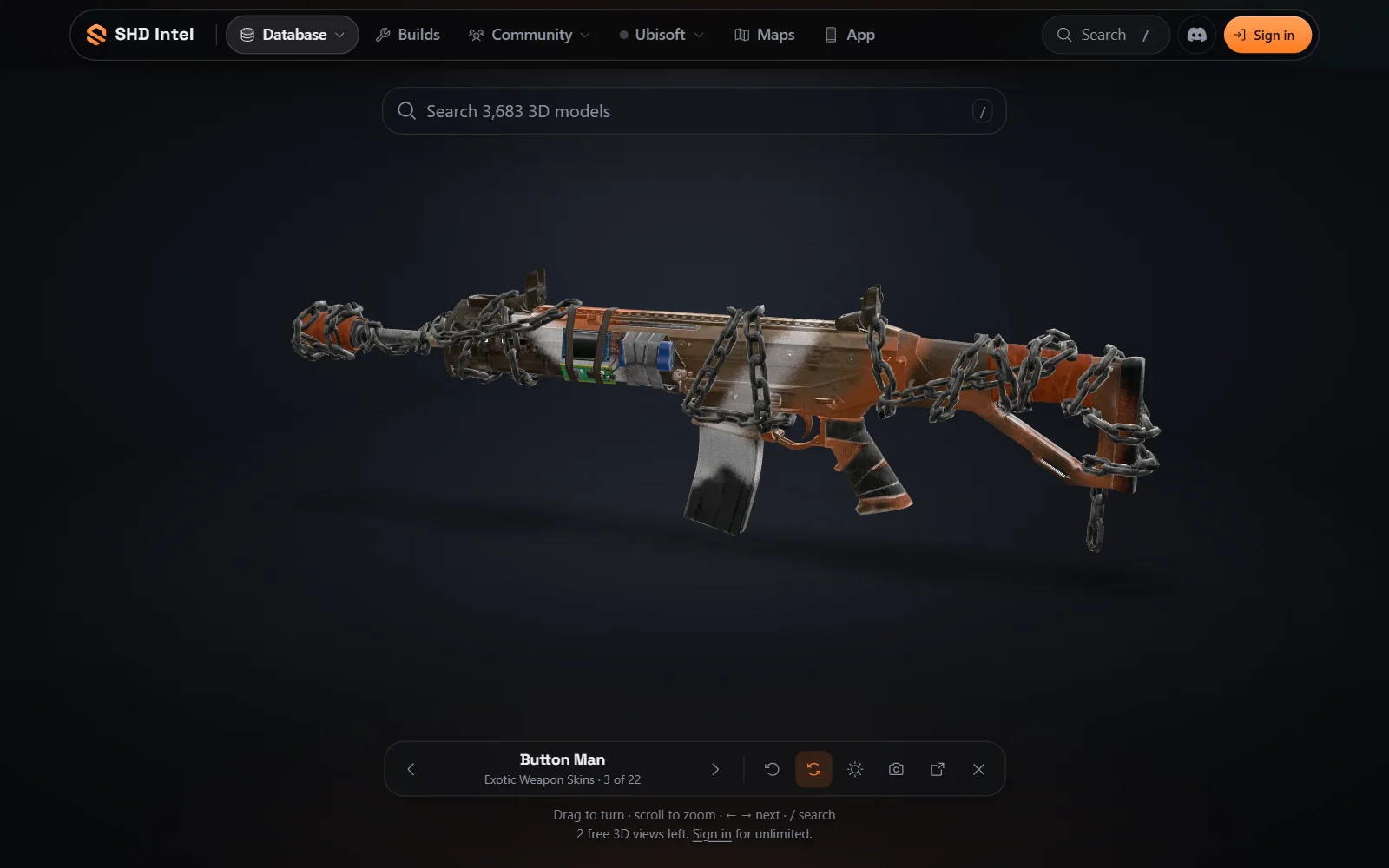
A new 3D Viewer. The 3D Viewer starts with one search across every model (press /), with categories and the items you viewed last. The model fills the screen and turns slowly on a lit floor. A small dock steps through the list with ← and →, resets the view, changes the lighting, takes a screenshot and opens the item's page. The Camo tray puts universal camos on the model (search them by name), and on weapons the Mods tray fits weapon mods.